How to take pictures
The image must be well focused
The best way of ensuring that the image is focused is by tapping on the phone screen, right on top of the region of interest.
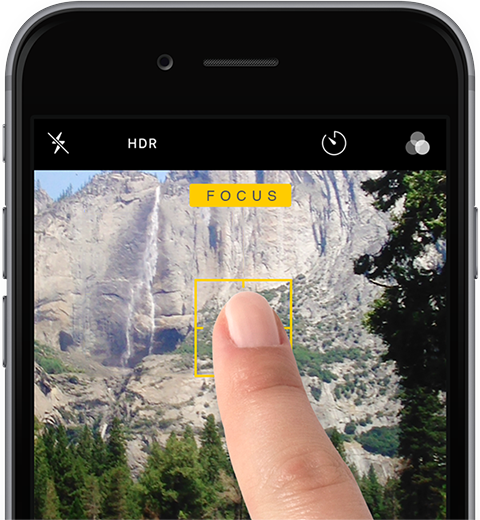
Put the lesion in focus
Your camera allows different things to be in focus. For photos to be correctly interpreted by the device, you need the lesion to be in focus.
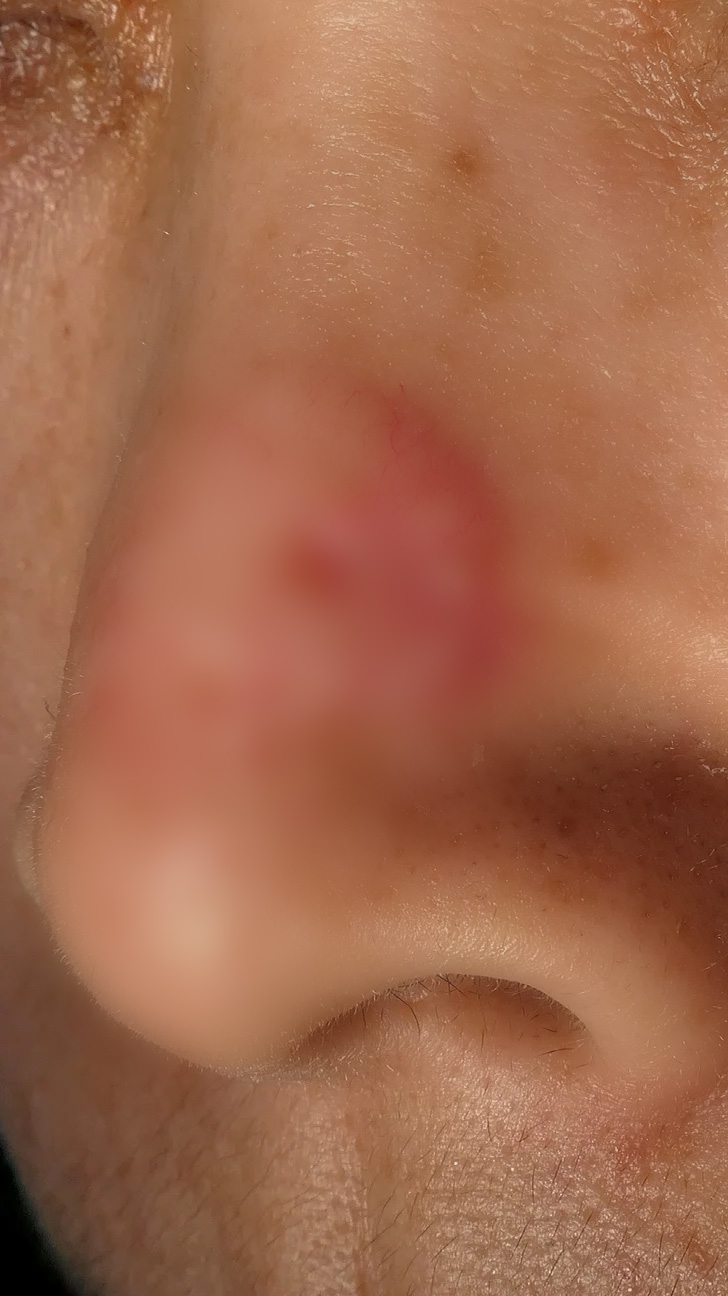
In the following image, the user focused the area behind the nose, and the nose is out of focus:
| Image | Outcome |
|---|---|
 | Detected conditions The device has detected the following conditions.
|
Due to the fact that the region of interest is out of focus, you are removing the valuable information contained in the region of interest.
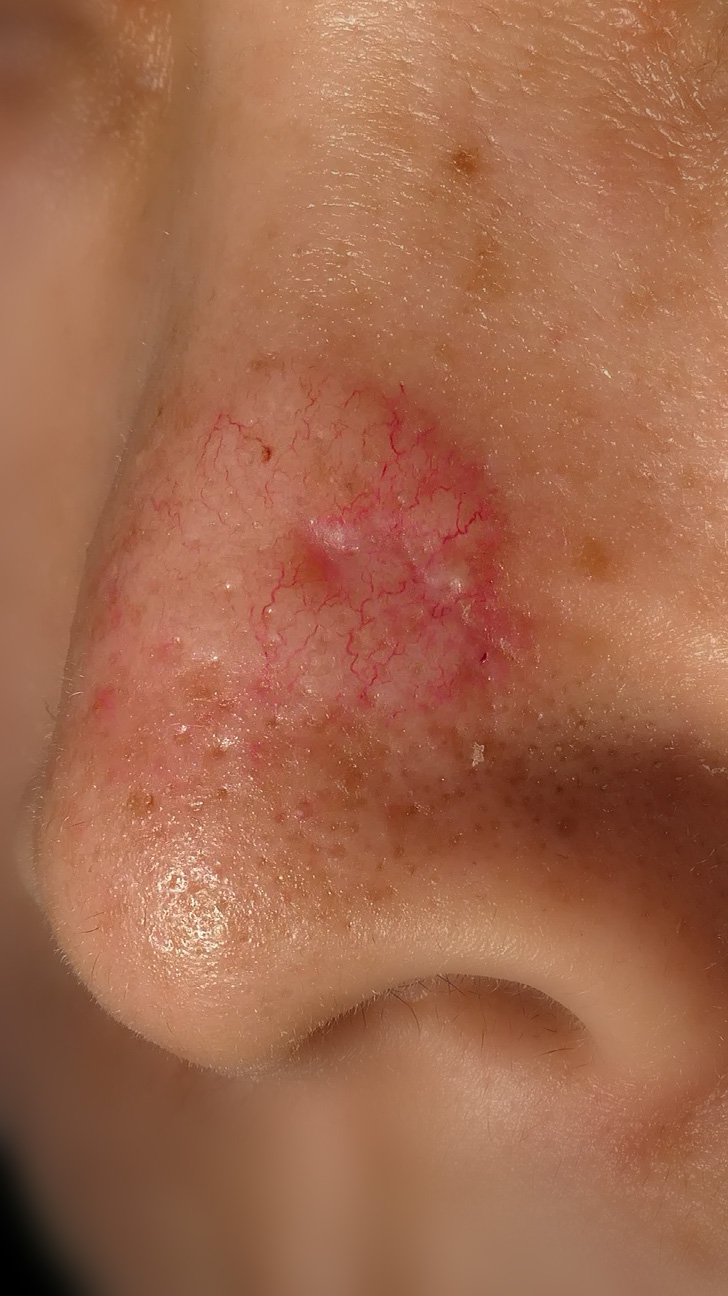
Now the user focused the nose, which is the region of interest:
| Image | Outcome |
|---|---|
 | Detected conditions The device has detected the following conditions.
|
Thanks to focusing the lesion, the device has the information it needs about the lesion. As a result, because the lesion is properly focused, the outcome of the device is much better.
The image must be well lit
You must ensure that the image contains information. In other words: that the pixels reflect the features of the lesion. For that, you need to light the region of interest.
The flash is such a great invention. It even helps with the focus.
The image must not be artificially compressed
Make sure there has been no size reduction
If you download images from the Internet, or if you received the images through WhatsApp, they may have been artificially compressed or reduced.
A good way of knowing if an image has been reduced is by checking the image size. The following table shows the typical size of images from different devices:
| Device | ✅ Normal image size | ❌ Compressed image size |
|---|---|---|
| iPhone 6 (2014) | 3456 x 2304 pixels | 346 x 204 pixels |
| iPhone 13 (2021) | 4032 x 3024 pixels | 403 x 302 pixels |
| Xiaomi 12T Pro (2022) | 16384 x 12288 pixels | 819 x 614 pixels |
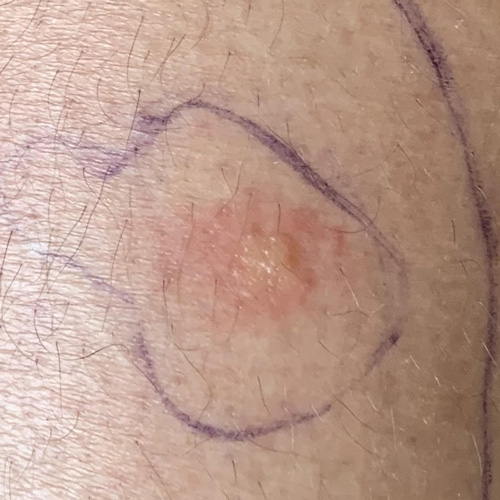
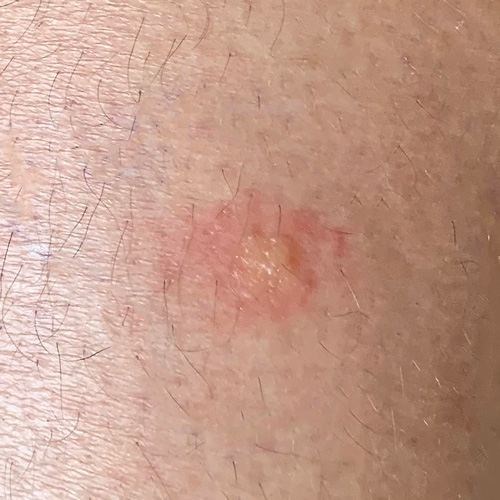
Don't edit or draw over the image
| ❌ Wrong: draw over image | ✅ Correct: non-altered image |
|---|---|
 |  |